
FOX Weather: Daily Forecasts
FOX News Network, LLCWeather
3.81.94K Reviews
- Version
- Varies With Device
- Installs
- 1.00M
- Age Rating
- Everyone
Screenshots

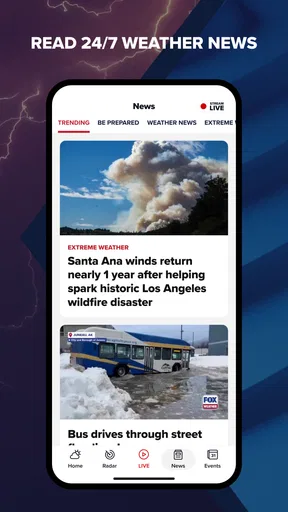
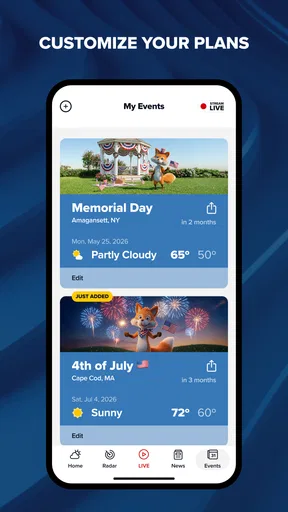
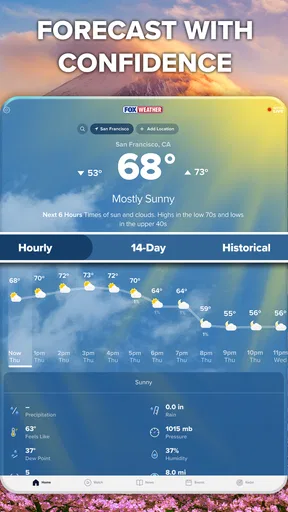
Our Review of FOX Weather: Daily Forecasts
 Analysis by Appyee
When I’m deciding whether to take a different route, pack a raincoat, or move an outdoor plan indoors, I want a forecast I can check quickly and then understand in context. FOX Weather: Daily Forecasts brings together local conditions, forecast details, radar, alerts, and weather video, so I can move from “What’s happening here?” to “What should I do next?” without treating every part of the weather as a separate task.
A quick check before making plans
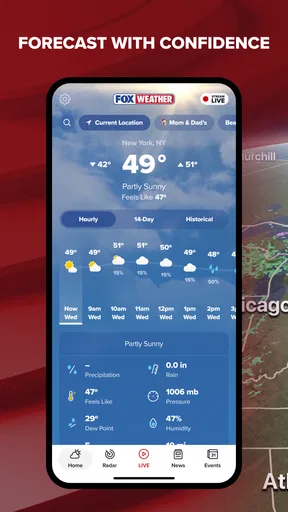
My most useful routine starts with a simple check of the current conditions, then a look at the hourly forecast if I have somewhere to be. A daily high and low are handy for choosing clothes, but they don’t tell me whether rain might arrive during the walk to work or after I’ve already left home. The more detailed view helps turn a general forecast into a decision about timing.
For a weekend plan, I’d look beyond the first screen and compare the forecast across the days I’m considering. That doesn’t make the weather certain, but it gives me a better basis for deciding whether to schedule an outdoor activity early, keep a flexible backup, or check again before committing. The extended outlook is most useful as a planning guide, rather than a promise that conditions will stay fixed.
Following a changing forecast
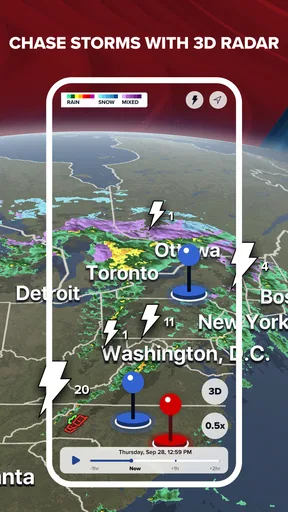
Radar is the part I turn to when the sky outside and the forecast in my head don’t quite match. The interactive map lets me zoom in and inspect weather patterns, which is more useful than relying on a single broad statement about rain. I’d use it to judge whether a shower looks relevant to my immediate area or whether it is still somewhere else, then pair that view with the hourly forecast before changing plans.
One practical habit is to check the radar before leaving, rather than only after rain begins. If I’m heading out for a walk or a drive, that extra look can help me decide whether to bring a layer or wait a little. It is still a snapshot to interpret, not a guarantee of exactly what will happen at my doorstep, so I wouldn’t use the map alone for a high-stakes decision.
Alerts that fit your day
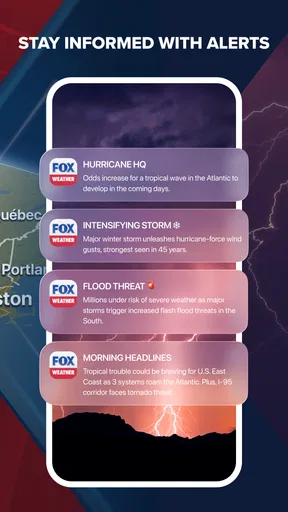
Notifications are most helpful when they give me a reason to look again without turning the phone into a stream of interruptions. The app offers customizable weather alerts, including severe-weather alerts and rain notices. I’d take a moment to set them around the information I genuinely need; a warning I’ll act on is more useful than a notification I learn to ignore.
This is also a good handoff between checking the app and getting on with the day. I can look at the forecast in the morning, then rely on an alert to draw my attention back if conditions warrant it. For travel or outdoor plans, I’d still check the app directly before setting off, since a notification is a prompt to reassess rather than a substitute for seeing the latest forecast myself.
Forecasts alongside live weather coverage
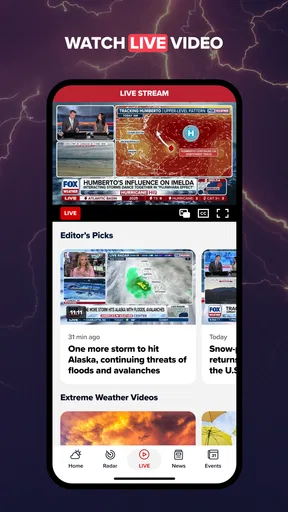
FOX Weather is a weather app from FOX News Network, LLC, and its video content gives it a different feel from a forecast-only tool. Alongside the numbers and maps, I can watch weather-related news and stories when I want more context. That can be useful when a weather situation is developing and I’d rather hear an explanation than scan several forecast panels.
The trade-off is that video is not always the fastest way to answer a small practical question. If I’m only checking whether to take an umbrella, the current conditions or hourly forecast is the more direct route. I see the video as an optional second step: useful when I want context, easy to skip when I simply need to get moving.
What’s the Buzz About?
First off, the interface of FOX Weather: Daily Forecasts is super sleek. It’s got that clean, modern vibe that makes navigation a breeze. You’re not bombarded with too many options, which is a breath of fresh air. As soon as you open the app, you’re greeted with the current weather conditions in your area, and let me tell you, the visuals are top-notch.
One of the coolest features is the interactive radar. I spent way too much time zooming in and out, checking out different weather patterns. It’s not just fun; it’s also pretty detailed, which is great if you’re planning a trip or just curious about what’s happening around you.
Features That Stand Out
The daily forecasts are super detailed. You get everything from temperature highs and lows to wind speeds and humidity levels. There’s also an extended forecast, which is perfect if you’re planning something big over the weekend. I found the hourly forecasts really helpful for those days when you need a more precise breakdown of what to expect.
Now, here’s where it gets interesting: the app offers weather alerts and notifications that you can customize. Whether it’s a severe weather alert or just a heads-up about rain, you’ll be in the know. Honestly, it’s a lifesaver for those of us who tend to forget our umbrellas.
Personal Experience and Usability
Using the app feels intuitive. The settings are easy to find, and you can quickly adjust them to your liking. I appreciated the option to switch between different units of measurement, because let’s face it, some of us just can’t do Celsius.
Another neat feature is the video content. FOX Weather includes weather-related news and stories, which adds an extra layer of engagement. I found myself watching a couple of these videos when I had some downtime. They’re informative and a nice break from just reading data.
A realistic day with the app
Picture a morning when I have a commute, a few errands, and an outdoor plan later on. I’d start with the local conditions, then check the hourly outlook to see whether the weather might change during the times I’ll be outside. If rain is a concern, I’d open the radar and use the map to get a closer sense of what is approaching. That sequence gives me a practical answer: dress for the conditions now, carry what I may need later, and avoid assuming the morning forecast will describe the whole day.
If the forecast points to a more serious weather concern, I’d review the relevant alert settings and keep an eye on notifications. If I need context beyond a quick map check, I can turn to the video coverage. The useful part is that these are different steps for different needs, rather than one screen pretending to answer everything. For an ordinary day, I can stop after the hourly check; for uncertain plans, I can spend longer comparing the forecast and radar.
How it fits among weather apps
Compared with a basic weather app that focuses mainly on current conditions and a compact forecast, this one is appealing if I want radar, alerts, and video in the same place. It also suits someone who likes to move between a quick local check and broader weather coverage. The combination is more rounded than a bare temperature display, but the added media may not matter to someone who only wants a fast glance at the day’s high and low.
Some people prefer a specialist forecast source or a simpler app with fewer screens. That can be the better choice if they already have a trusted way to inspect radar, or if they want weather information without news video. I’d choose based on the workflow I actually use: if maps and alerts help me make decisions, the extra breadth is worthwhile; if I rarely go beyond the current temperature, a lighter alternative may feel more direct.
Who will get the most from it
I think it works especially well for people who make plans around changing conditions: commuters, parents coordinating outdoor activities, and anyone deciding whether a weekend plan needs a backup. A person who follows weather coverage may also appreciate having video near the forecast rather than switching between separate sources. The app is free to download, rated for Everyone, and has in-app purchases ranging from $1.99 to $12.99 per item, so I’d check the purchase details before choosing anything optional.
It may be less appealing if you want nothing beyond a minimal forecast, find video distracting, or prefer not to spend time adjusting notifications. It is also not a reason to stop using sound judgement during serious weather: check current alerts and official guidance when a situation calls for it, rather than treating a single app screen as the final word. That distinction matters most when the consequences of getting the timing wrong are more than a damp walk.
Room for Improvement
Like any app, it’s not without its quirks. There were a couple of times when the app took a bit longer to load, especially when checking the radar. It’s not a deal-breaker, but it’s something to keep in mind if you’re in a hurry.
Also, while the app is mostly straightforward, some of the deeper settings can be a bit tricky to find at first. It took me a minute to figure out how to customize the notifications, but once I did, it was smooth sailing.
Small habits that make it more useful
I’d keep the app’s different forecast views in their proper roles. Use the daily outlook to sketch out plans, the hourly details to choose a time, and radar when the location and movement of weather matter to the decision. That avoids over-reading one forecast number and makes the map a tool for a specific question instead of something to watch endlessly.
I’d also tailor alerts after using the app for a little while. If every notification feels equally urgent, it becomes easier to dismiss them all; choosing the kinds of updates I’m likely to act on makes the feature more practical. And when I’m heading somewhere unfamiliar, I’d check the forecast for the destination as well as the starting point rather than assuming conditions are identical along the way.
Final Thoughts
Overall, FOX Weather: Daily Forecasts is a fantastic tool for anyone who likes to stay ahead of the weather. The combination of detailed forecasts, interactive radar, and engaging video content makes it a solid choice for weather apps.
Whether you’re planning a weekend getaway or just trying to figure out if you can finally wear those new shoes, this app has got you covered. So, give it a whirl, and you might just find yourself checking the weather more often than you ever thought you would!
My bottom line
The app has been available since October 21, 2021, and its reach is reflected in more than a million installs. Its average rating is 3.8 from around 3.8 thousand ratings, with roughly 1.9 thousand written reviews. I wouldn’t use those figures as a substitute for deciding whether its particular mix of forecast tools suits me, but they do make clear that it has an established audience rather than being an obscure one-off utility.
For me, the strongest reason to try it is the path from local forecast to radar, alerts, and optional video in one weather-focused app. The main friction is that radar can take longer to load, and the richer set of choices may be unnecessary if all I want is a quick temperature check. If that fuller workflow matches how you plan your day, I’d give it a try; if you value the simplest possible glance, a lighter forecast app may serve you better.
Privacy and Permissions
See what permissions an app requests and how it handles your data.
- Location
- approximate location (network-based), precise location (GPS and network-based)
- Photos/Media/Files
- read the contents of your USB storage, modify or delete the contents of your USB storage
- Storage
- read the contents of your USB storage, modify or delete the contents of your USB storage
- Wi-Fi connection information
- view Wi-Fi connections
- Other
- view network connections, allow Wi-Fi Multicast reception, full network access, run at startup, prevent device from sleeping
Verdict
Strengths of FOX Weather: Daily Forecasts
- User-friendly interface with smooth navigation.
- Accurate weather updates and alerts.
- No subscription required for basic features.
- High-resolution weather maps available.
- Covers a wide range of locations globally.
Limitations of FOX Weather: Daily Forecasts
- Ads can be intrusive at times.
- Requires a stable internet connection.
- Limited customization options for notifications.
- Some features locked behind a paywall.
- Occasional bugs in live radar updates.
Other Releases by FOX News Network, LLC
View All
FOX News - Daily Breaking News
News & Magazines4.6

FOX Nation: Celebrate America
News & Magazines3.9
Similar Picks in This Category
View All
Weather - By Xiaomi
Xiaomi Inc.4.1

Weather & Radar Forecast
WetterOnline4.8

Weather
OneLouder Apps4.6

AccuWeather: Weather Radar
AccuWeather3.6

The Weather Channel - Radar
The Weather Channel4.6

1Weather Forecasts & Radar
OneLouder Apps4.3
Frequently Asked Questions
What features does FOX Weather offer for weather forecasting?
FOX Weather provides real-time weather updates, detailed daily forecasts, and severe weather alerts. The app also features interactive radar maps and customizable notifications to keep users informed about changing weather conditions. Additionally, it offers video content from meteorologists, providing insightful weather analysis and reports.
How accurate is the FOX Weather app in predicting local weather conditions?
FOX Weather utilizes advanced meteorological technology and data from reliable sources to deliver accurate forecasts. The app updates regularly to provide the most current weather information. Users often find its predictions to be precise, especially for short-term forecasts, though accuracy can vary based on location and weather volatility.
Is FOX Weather available on both Android and iOS devices?
Yes, FOX Weather is available for download on both Android and iOS platforms. Users can find the app on the Google Play Store for Android devices and the Apple App Store for iOS devices. It is designed to work seamlessly across different smartphones and tablets, providing a consistent user experience.
Does FOX Weather offer any premium features or subscriptions?
Currently, FOX Weather offers all of its features for free, making it accessible to a wide audience without the need for a subscription. Users can enjoy comprehensive weather services without encountering paywalls or premium content restrictions, though future updates may introduce additional options.
Can I customize the notifications I receive from FOX Weather?
Yes, FOX Weather allows users to customize notifications based on their preferences. Users can choose to receive alerts for severe weather, daily forecasts, or specific weather conditions of interest. The app's settings menu provides easy navigation to ensure that users receive only the notifications they find most useful.
